

Multimodal AI hardware & software appliance
Thirty years of drawings,
every one of them read.
Mechanical drawings, circuit diagrams, design drawings, plus the technical documents and contracts that come with them.
Ask the on-device AI one question, and it points you to the exact spot. Drawings never leave the factory.
EX-512-3
- Chip
- M3 Ultra
- Unified memory
- 512 GB
- Storage
- 4 TB
- Networking
- Not required
Also available: EX-96-3 — 96 GB unified memory / 1 TB storage
Fully offline
Unplug the network — every feature keeps running
One per person
On-device AI, a workstation appliance, never shared
Ready on arrival
Deployed and accepted by our engineers
The status quo
The drawings are all there, just impossible to find.
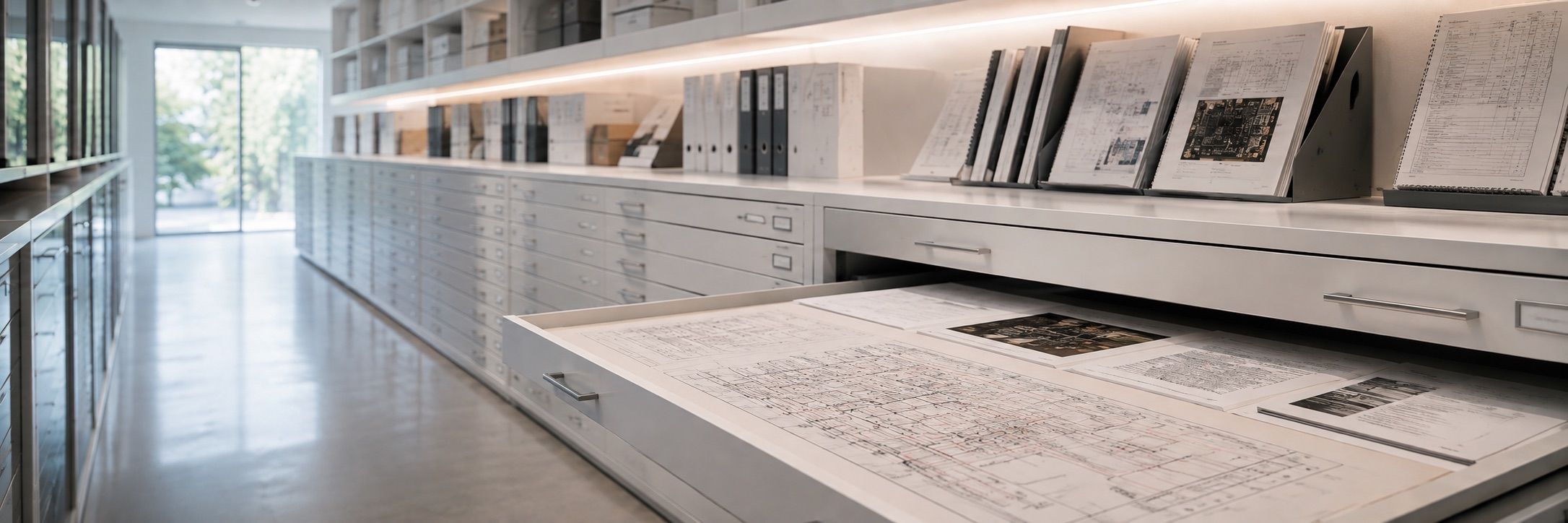
Decades of drawings sit in file servers and archive cabinets, along with their technical requirements, acceptance reports and contracts. Scans, re-photographed pages, outgoing PDFs — file names are just strings of codes. To confirm the material and revision of an old part, you depend on the people who remember — and they are retiring.
This cannot go to the cloud. Drawings are the last asset a company can afford to leak.
Three steps
Import. Ask. Locate.
01
Import
Put in drawings, scans and re-photographed pages together with their technical documents. Layouts are recognized block by block and indexed page by page.
02
Ask
Ask the way you normally talk: "What material was used for that flange last year", "Which supply line powers this relay", "Where is the acceptance report for this set of drawings".
03
Locate
It gives the answer and circles that spot on the drawing for you to see.
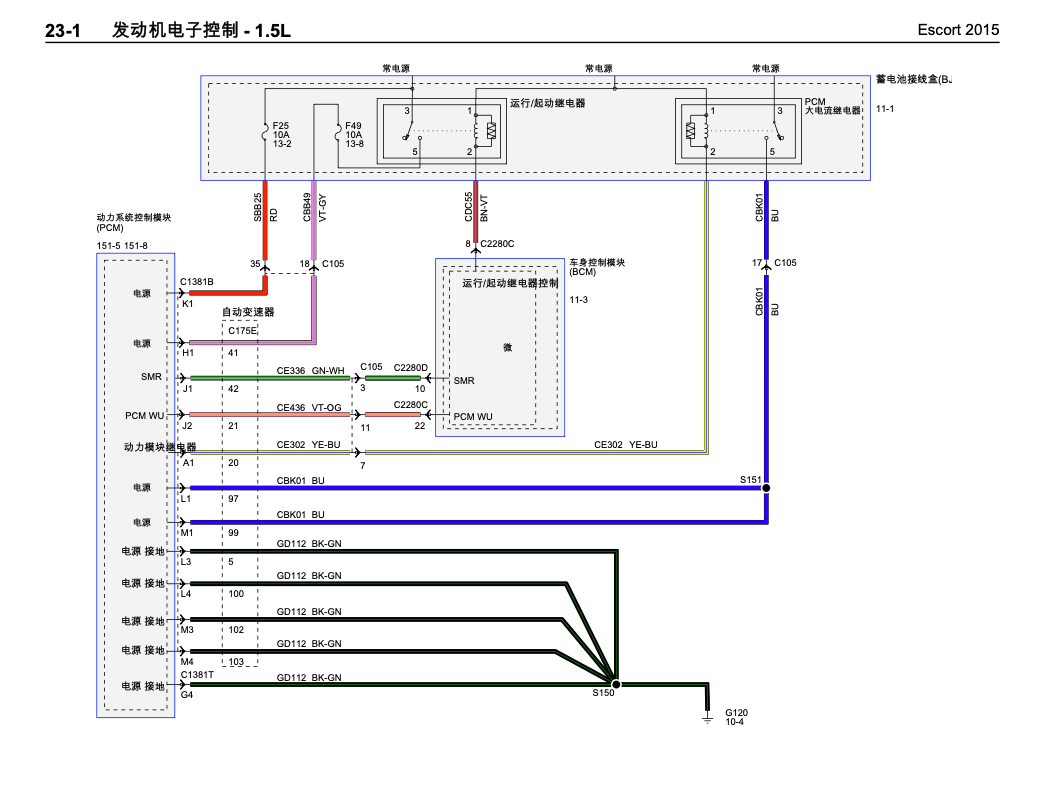
Which fuse powers the run/start relay?
On this drawing, the run/start relay is fed by the fuse labeled F49 10A 13-8. I have circled the location — please confirm.
Cropped from the drawing
Engine electronic control - 1.5L · 23-1 · Page 1
UI mock-up · the drawing is a public sample
Drawings are the hardest — the rest comes along
If drawings can be read,
everything else is easy.
Drawings are the hardest of all documents to read — no text layer, dense lines, tiny type, and almost always scans. Our multimodal AI engine was built for them. Everything else enters the same library almost as a side effect.
Mechanical drawings
Assembly, part and section views. Drawing numbers, material grades, heat-treatment requirements, BOMs and title blocks.
Circuit & wiring diagrams
Component designators, circuit paths, connector codes, wire numbers and color codes, fuse-to-relay mappings.
Building & equipment plans
Floor plans, system diagrams, piping routes, equipment tags and installation nodes.
Technical documents
Technical requirements, manuals, acceptance reports, test records, meeting notes. Cross-searched with the drawings.
Contracts & invoices
Clauses, amounts, dates and suppliers, searchable in the same library. Stamped scans handled as well.
Multiple models working together
One question,
four kinds of models at work.
The question is text, the drawing is an image, and the answer must land back on a spot in the drawing. EX runs several kinds of models on the device at once, each handling one stage and cross-checking the others.
Visual AI understanding
Recognizes text, symbols, tables and layout on the drawing, turning images into searchable content. Scans, re-photographs and low-res blueprints are handled the same way.
Semantic retrieval
Understands the intent of the question and locates relevant pages across the whole library. Exact strings like drawing numbers, designators and grades, and natural-language descriptions, both hit at once.
Reasoning & synthesis
Integrates information across drawings and documents and delivers conclusions you can use directly — not a list of search results.
In-place evidence
Every conclusion is annotated with the source drawing, page and position on the drawing, verifiable item by item. Conclusions and evidence stay bound together.
Domain knowledge built in
Ask the way your industry talks.
The models carry general engineering knowledge — they recognize material grades and heat-treatment processes, understand standard-part naming, drafting conventions and electrical symbols, and know what "nitriding", "interference fit", "title block" or "normally open contact" mean.
So you can simply ask the way you normally speak — no need to bend to keywords, no need to learn a query language first. This is the fundamental difference from traditional drawing-archive retrieval systems.
More than retrieval
In an office with no internet,
the only AI you can still use.
Your network forbids access to cloud AI — and that is right; drawings and technical documents should not leave. The cost is that engineers have had no AI at all so far.
EX puts complete AI capability into this machine. It does more than answer "where is the drawing" — everything runs on the device, not one byte leaves the intranet.
Keep asking
"Does this part have an alternative?" — continue from the previous question without repeating the context.
Compile into tables
"List the drawing numbers, materials and revisions of this batch" — information scattered over dozens of drawings, sorted into a table at once.
Draft documents
First drafts of technical requirements, change notes and acceptance reports, written from the retrieved source text, verifiable item by item.
Translate foreign drawings
Annotations and manuals of imported equipment, translated locally. No need to send a drawing out just to translate a paragraph.
Explain terms
A newcomer asks "what does this symbol mean" or "what is an interference fit" — without interrupting the veteran every time.
AI for daily work
Give engineers their drawing time back.
Look up old parts
Confirm materials, revisions and design changes of historical drawings — from digging through cabinets to one question.
Select components
Search across the library for standard parts and grades already used, and reuse existing solutions directly.
Trace circuits
Which line powers a component, where a wire number leads — circled directly on the dense wiring diagram.
Produce material
Conclusions come with source pages and in-place crops, ready to enter technical files, reviews and audit material.
One machine
Two editions.
Drawing edition
Mechanical drawings, circuit diagrams, design drawings and their documents — turned into something you can ask.
Explore the Drawing edition →Investigation edition
A single-box investigation console for security analysts. Logs never leave the intranet.
Explore the Investigation edition →A group of machines
Drawings stay. Answers travel.
Every EX can query others and be queried by others. Which drawings to open up is decided by the holder. What travels between machines is the answer and a crop of that spot — not the drawing file itself.
No central node. Everyone builds their own library, and together they cover the whole department — no need to consolidate all company drawings onto one server.
Two models
Choose by library size and AI needs, not headcount.
EX is a workstation appliance, one per person. The larger the unified memory, the stronger the AI models it can run and the more drawings it can hold.
EX-96-3
96GB unified memory · 1TB storage
- Library capacity
- 100,000+ pages
- AI models
- Resident mid-size model covering the full retrieval feature set
- Typical use
- Department pilots, a single engineer, a single analyst
EX-512-3
512GB unified memory · 4TB storage
- Library capacity
- 100,000+ pages · four times the storage headroom
- AI models
- Factory-preloaded 480B-class mixture-of-experts model · multiple resident models
- Typical use
- Main drawing archive, very large libraries
EX-96-5 · EX-512-5Built on the M5 Ultra platform with the same unified-memory and storage specs, with further gains in inference and library-building performance. Contact us for availability.
Typical scenario
Circuit diagrams at a vehicle manufacturer.
A vehicle manufacturer, electronics and electrical department. Over thirty years, vehicle-wide circuit and wiring diagrams accumulated across archival systems of several eras — early blueprint re-photographs, mid-era scanned PDFs, recent vector exports, with naming conventions changed three times.
The three questions engineers ask most have never changed: which line powers this component, where does this wire number lead, and when was this revision of this vehicle changed. It used to mean flipping through binders and asking veterans; now one question, and it circles that drawing and that spot.
Every engineer in the department has one machine, each holding the libraries of the vehicles they are responsible for; cross-group queries go through the network — drawings never leave the device.
Customer names are anonymized for confidentiality. Reference customers can be provided during the demo.
We will connect a real machine for you to see.
Remote demo — run the questions you care about on our machine. You can also provide a few anonymized drawings, and we will build the library on the spot.